For some reason, when you setup a holiday on 3CX with a prerecorded prompt to play, it will not play that message. Instead it will play the default out of office message setup on that voicemail/call handling. In order to get around this, you need to install a script from 3cx under the Integration tab.
https://www.3cx.com/docs/holiday-script/
Step 1: Create a Holiday
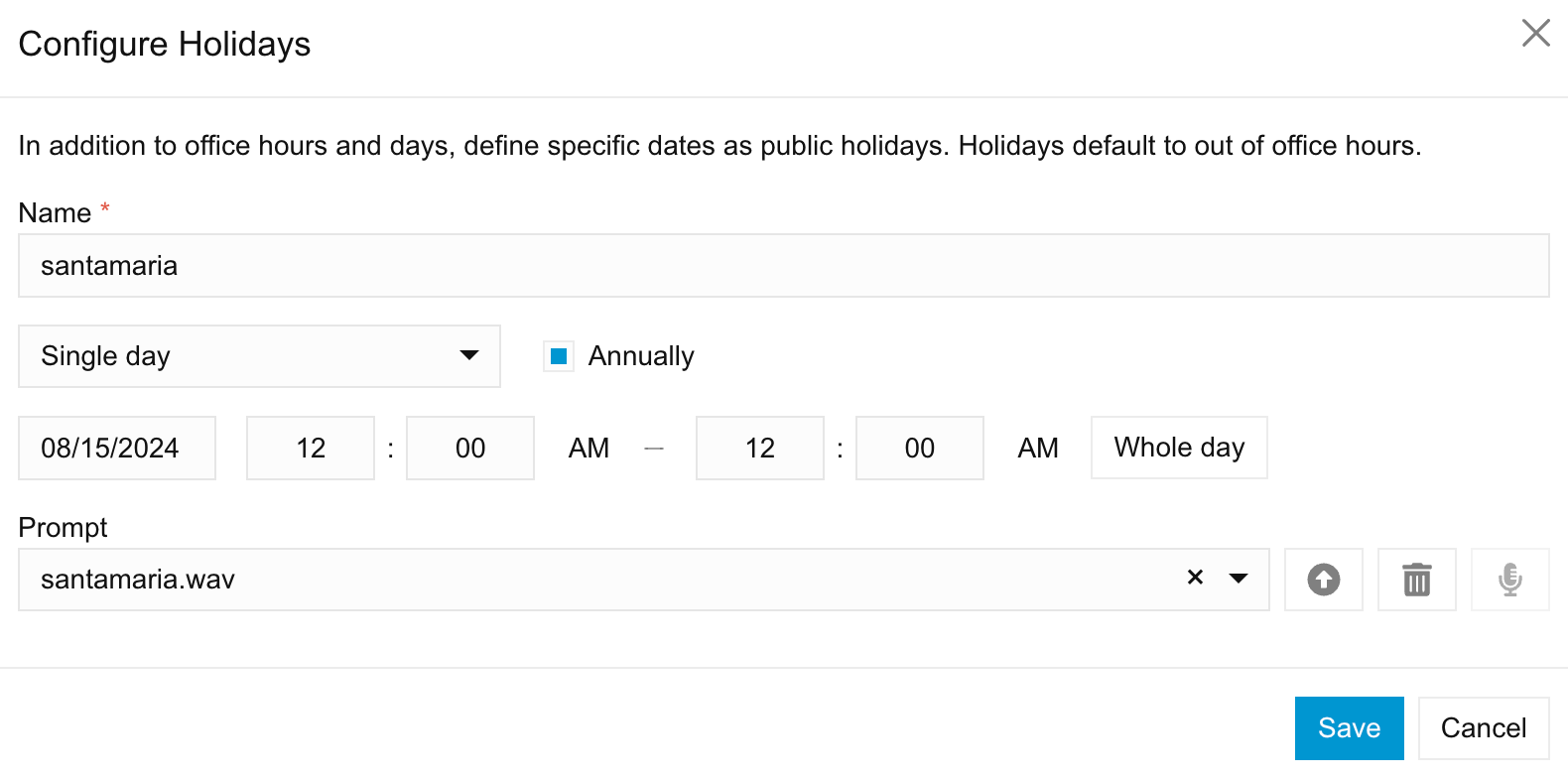
- Navigate to “Office Hours” in your Admin Console.
- Select the relevant department and click on the “Office Holidays” tab.
- Add a new holiday with a unique name (example; National Day).
Step 2: Prepare the Holiday Prompt
- Record or create an audio file (.wav format) for the holiday prompt. (Example: nationalday.wav) and upload it.
Step 3: Create a Call Processing Script in 3CX
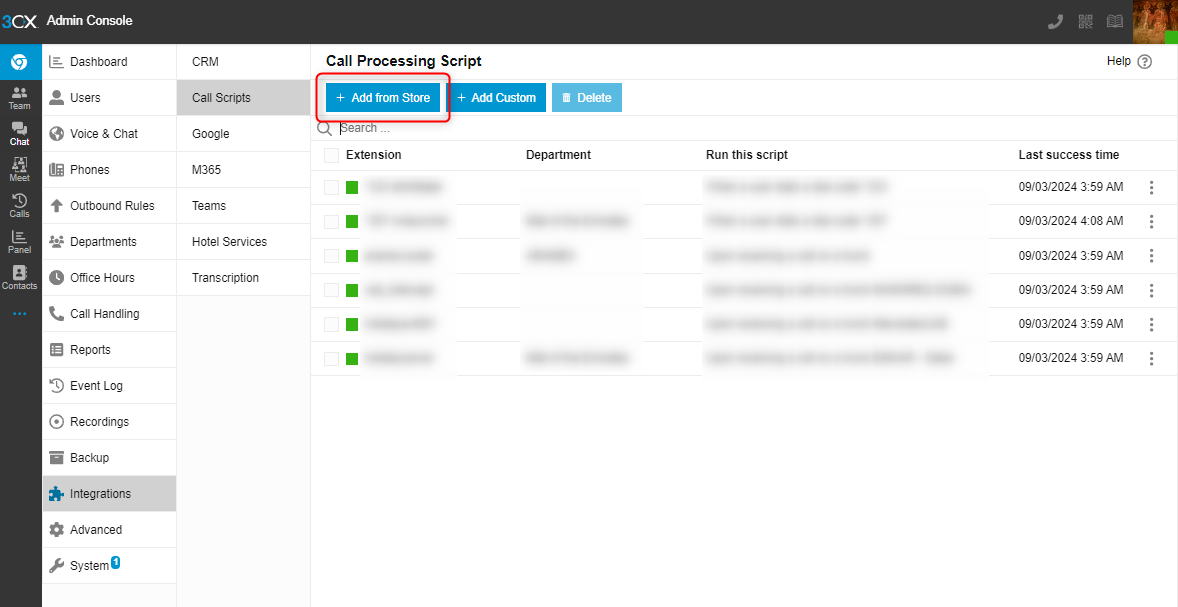
- Login to your Admin Console, go to “Integrations” > “Call Scripts”.
- Click “Add from Store”.
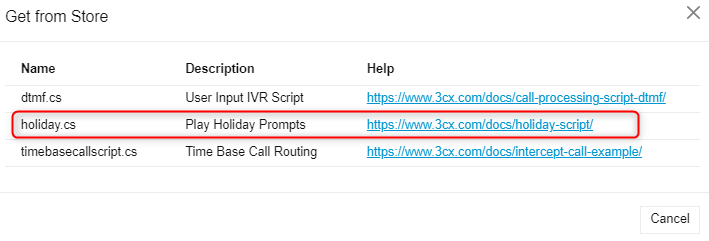
- Select “holiday.cs”.
- Enter a name for the Call script (should contain lowercase characters only with no spaces).
- Select how you want this script to be launched via the "Run this script" option. In this example we will choose “Upon receiving a call on a trunk”.
- Assign the script to the desired SIP trunk.
- Select a Department of your choice.
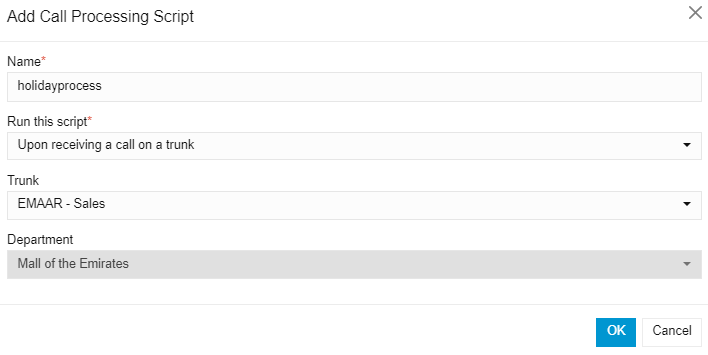
- Click “OK” to proceed. This will redirect you to the code editor page which will automatically compile the script.
- The contents of the C# code will be loaded in the code editor.
- Press "Save" to save the script and compile the code.
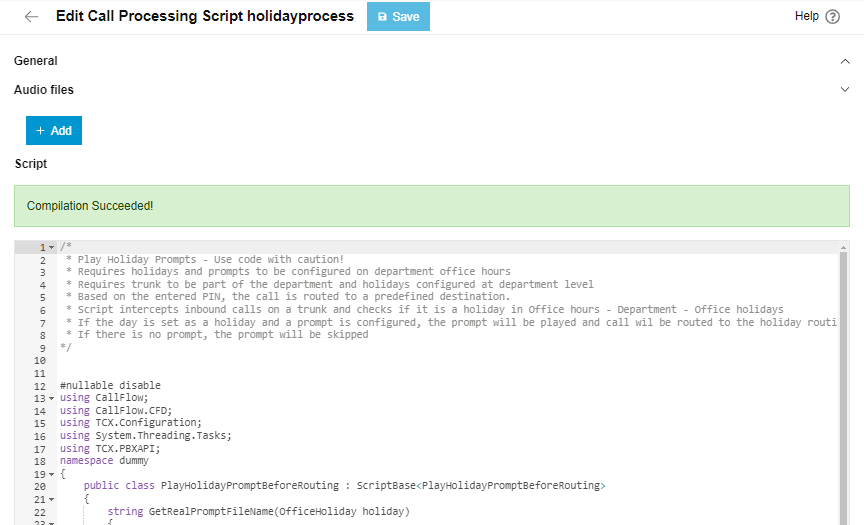
- When compilation is successful, the script will be launched when an incoming call is detected on any DID of the trunk Emaar-Sales
How it Works
- When a call comes in on the assigned SIP trunk, the script is triggered.
- The script checks if the current date matches any of the holidays you’ve defined.
- If a match is found, the script plays the holiday audio prompt you created in Step 2.
- If the day falls on a holiday, the call is routed to the holiday destination.
Was this article helpful?
That’s Great!
Thank you for your feedback
Sorry! We couldn't be helpful
Thank you for your feedback
Feedback sent
We appreciate your effort and will try to fix the article